On the proof UI, you can monitor Workflows by selecting the Monitoring from the menu.
Workflow Monitoring
The Workflow Monitoring is the main interface to run, execute, and stop workflows and check logs in PROOF.
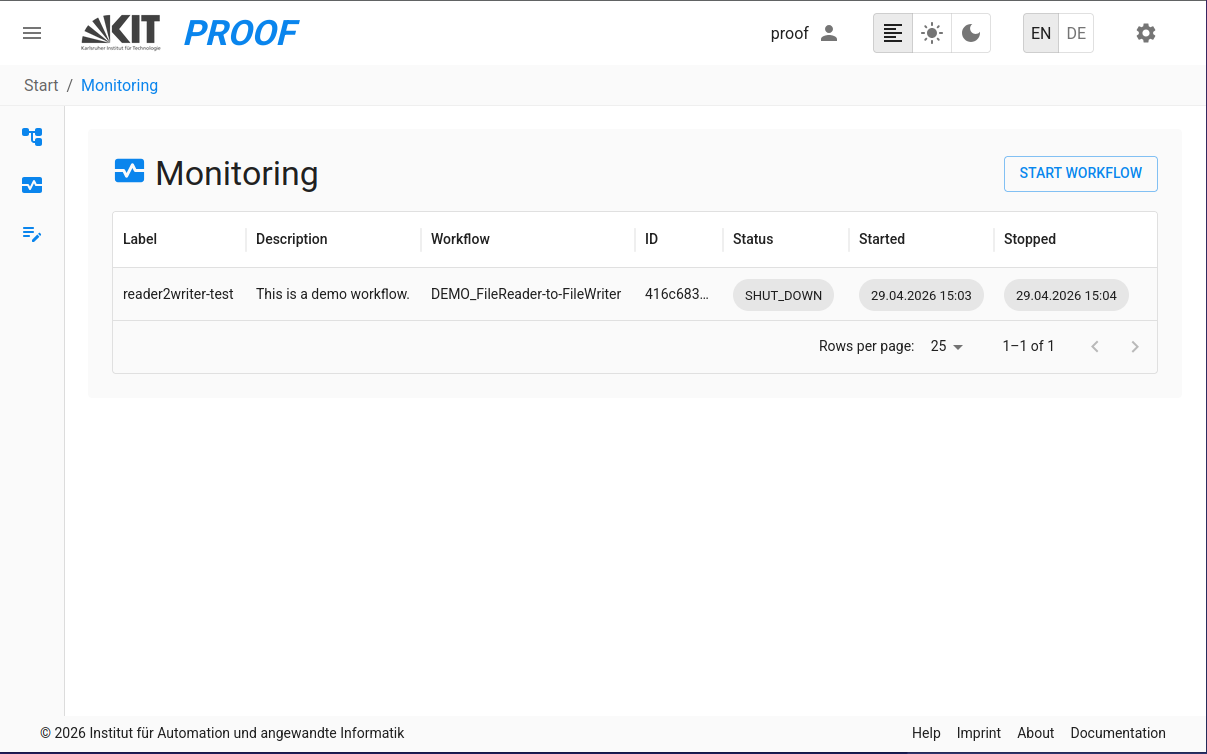
1. Monitoring
This interface allows you to monitor the status of workflows, including their execution status, logs, and other relevant information.
2. Execution Progress Tracking
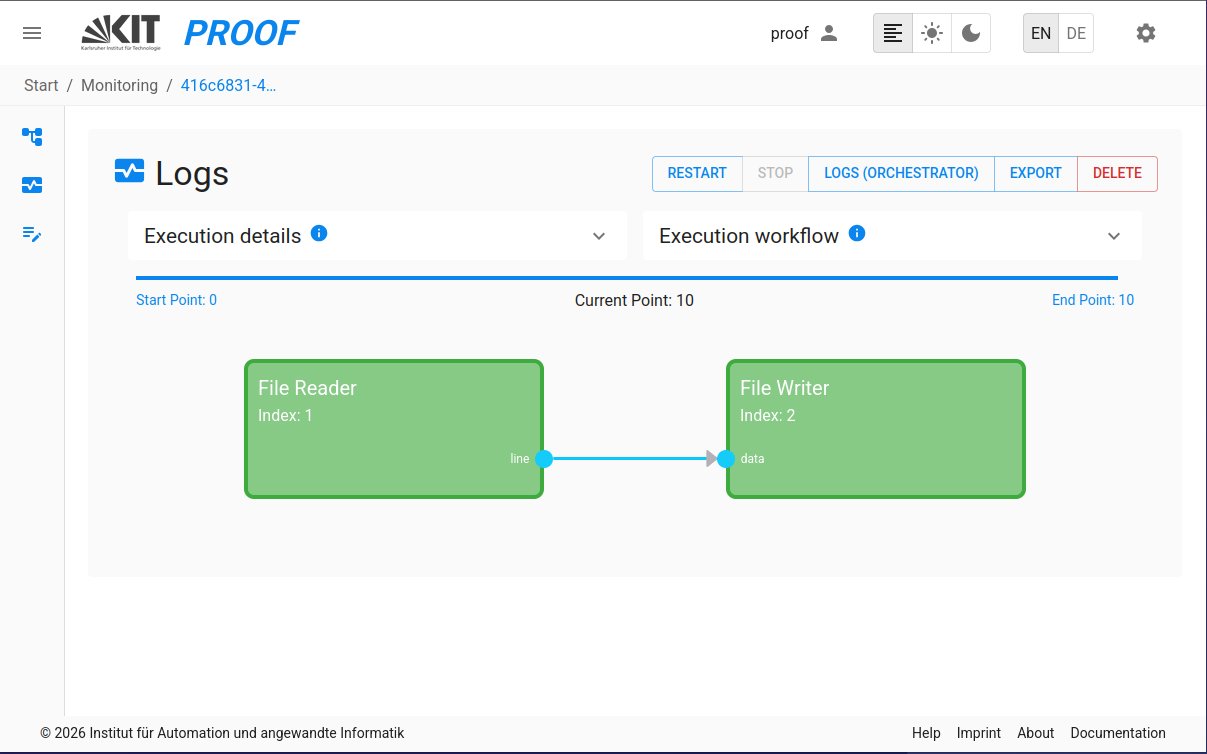
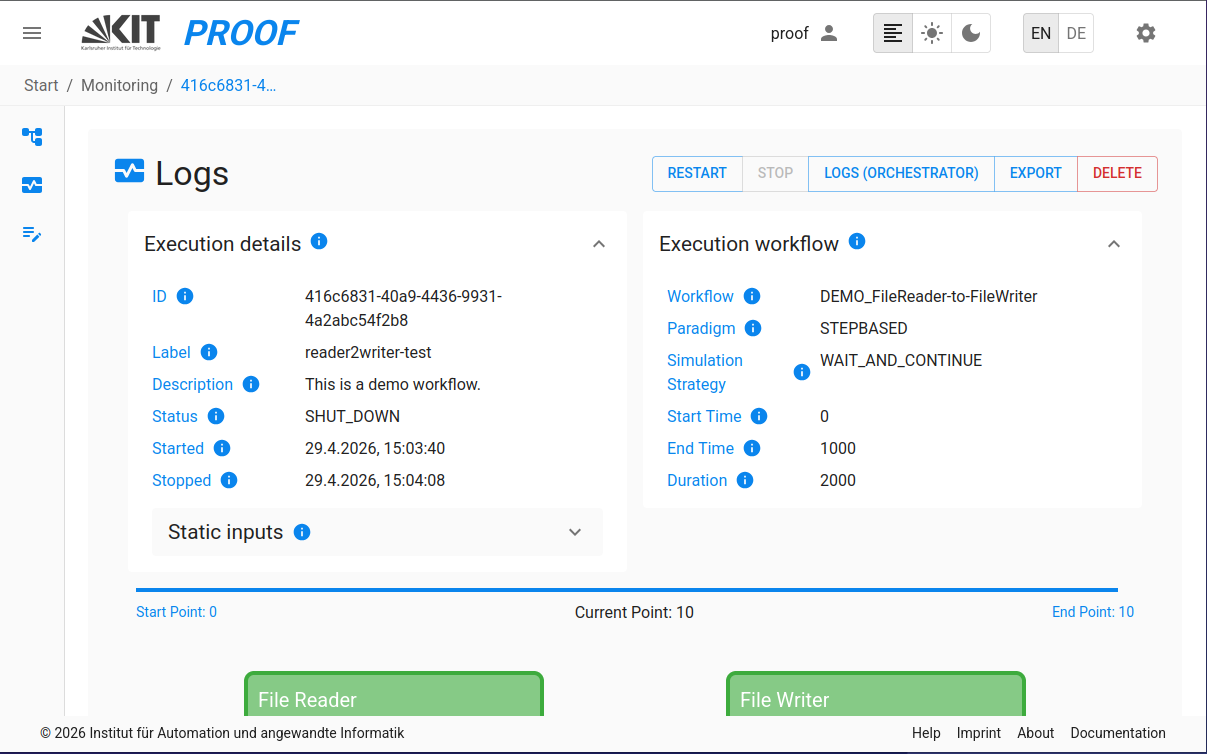
During execution, PROOF provides real-time progress tracking: - Progress Visualization: Visual progress bars showing the current state of execution - Communication Point (CP) Tracking: See the current communication point being processed - Input Values Display: View input values and workflow parameters for the execution - Execution Parameters: Full visibility of workflow start and run parameters in the monitoring view - Detailed execution settings display with better layout and readability - View all execution configuration details
3. Block Status Monitoring Service
The Block Status Monitoring Service provides real-time visualization of individual block execution states:
- Real-time Block Status Updates: Monitor individual block states and communication points
- Block-specific Logs: Monitor the logs of individual blocks in real-time
- Status Indicators: Visual indicators showing each block's current state (INIT, EXECUTE, FINALIZE, SHUTDOWN)
- Log Storage: Model logs are automatically saved in proof-environment/data/executions/ organized by execution ID as specified in the docker-compose file
4. Run Workflow
After a workflow is selected in the dropdown list, it can be executed by clicking on the "Run" button in the top right
corner of the Execution Monitoring interface.
5. Export Executions
- Export Execution: Export a complete workflow execution as a ZIP file, including all configurations, templates and attachments. This feature is available to all users.